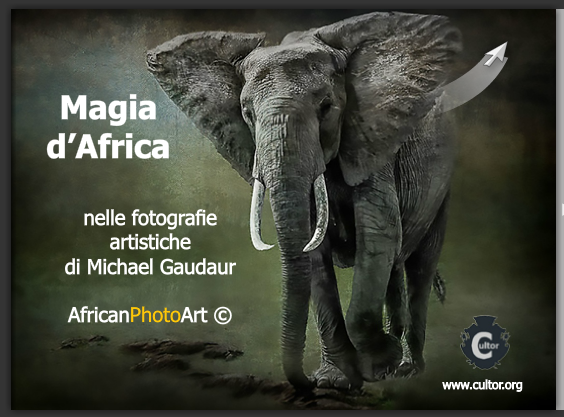
Editing Long-nose & Crooked-tusk

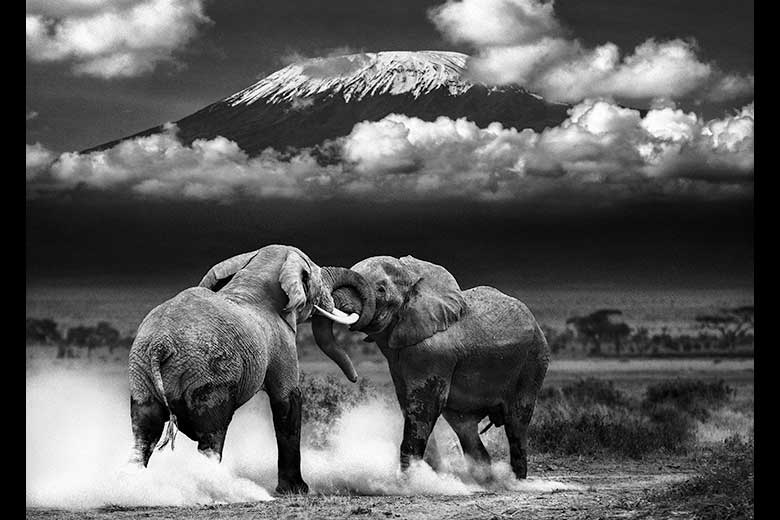
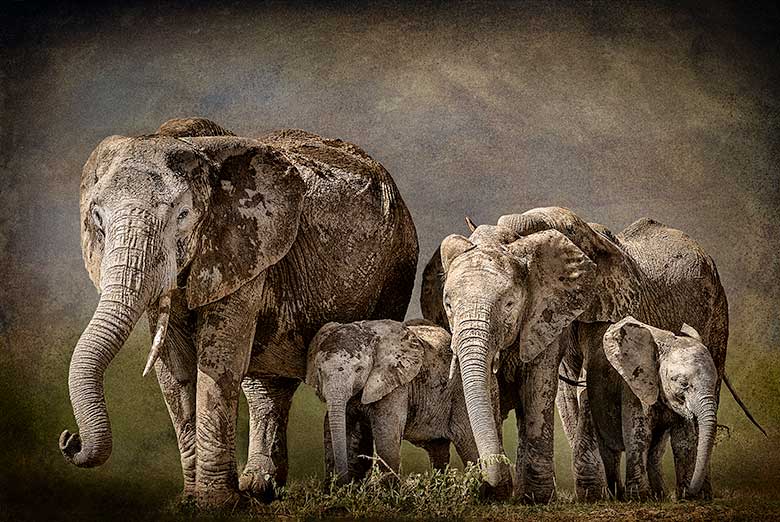
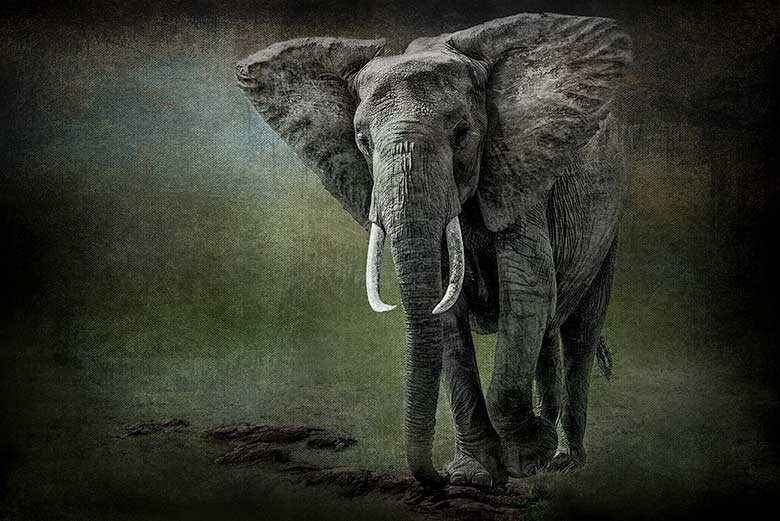
fine art image of two elephants

final image

Vision

A 50mm lens is not commonly considered a go to lens for an African photo safari. But I was determined to come back with something different from this safari. With this in mind I was intentional to pull out my lesser used lenses. As we sat for nearly an hour with a family of grazing elephant they continued to move closer to our vehicle. In fact, they got so close I was able to capture two elephant and the rear-view mirror of our Land Rover in a single 50mm image.

two elephants and our mirror

two elephants and the Land Rover mirror

Long lenses tend to compress perspective in a scene, while a ‘normal’ lens is said to render a perspective of the scene most like human vision. These pictures do look very much like what we saw just looking directly out of our window. Another aspect of 50mm lenses is the ability to use very wide apertures. My Canon EF 50mm f/’1.4 is not very sharp wide open, but I have found that stopped down to f/2 it is tack sharp. So here is what the unedited RAW file looked like.

unedited RAW file

unedited RAW file

Editing

lightroom basic panel adjustments

lightroom basic panel adjustments

  1. The first step was to tighten up the drop a little to remove the distractions of the road and eliminate the dead space behind the foreground elephant.
  2. Next priority was to tweak the Lightroom Basic panel sliders to wash out the background and lighten the elephants.
  3. It seemed important to retain some of the grass in order to give both elephants a “place” in the image. Without the grass they seemed to be floating. This was accomplished with the recovery slider.
  4. Increasing the black slider helped give the elephants some definition. An image usually needs some solid blacks to anchor it.
  5. Boosting clarity adds texture.
  6. Reducing colour saturation also shifts more attention toward shape and texture. When the eye does not have the visual cue of colour, it will give more weight to information from other sources.
lightroom basic panel adjustments

lightroom basic panel adjustments

Using wide apertures to photograph subjects with bright backgrounds will usually produce magenta or green coloured fringes along the edges where dark meets light. These are called chromatic aberrations. I was able to eliminate them very easily in this image by reducing the saturation of the Magenta and Purple sliders in the HSL panel.


Lightroom adjustment brush overlay

Lightroom adjustment brush overlay

I thought that the top of the elephant’s head was a little washed out and her trunk needed a little more definition to draw the viewer into the image. I set Lightroom’s adjustment brush to -0.9 exposure and painted detail back in to those areas. You can use the ‘o’ key to see the overlay that you are painting.

The image seemed a little cool, so I used Lightroom’s Split Toning panel to add a little brown to the shadows (hue 41 and saturation 28).

For the last step I needed to send the image to Photoshop. There was actually a third elephant in the scene. You can just see the back end of the little fellow behind his mother’s back leg. I used the clone stamp to create some white space between the mother and son, and then lassoed the son, hit the delete key and chose to fill with content aware fill.

There you have it. Let me know what you think. If you found this at all helpful please use the buttons below to share it on your preferred social media. You can subscribe to these regular tutorials using the RSS feedfollow me on Twitter, like AfricanPhotoArt on Facebook, or circle me on Google+.

Posted in image editing, Lightroom, photography, Photoshop, technique | Tagged , , | Leave a comment

Topi Sunrise image wins high commendation

dramatic sunrise behind herd of topi

highly commended

Despite the fact that this site is dedicated to artistic renderings of images, one of my straight, unmanipulated images was awarded a high commendation in the Wild Eye nature photography contest. Read about the image and the back story on my Kenyan Photo Safari website.

Posted in news, photography | Tagged , , , | Leave a comment

Cheetah in the Grass Revealed

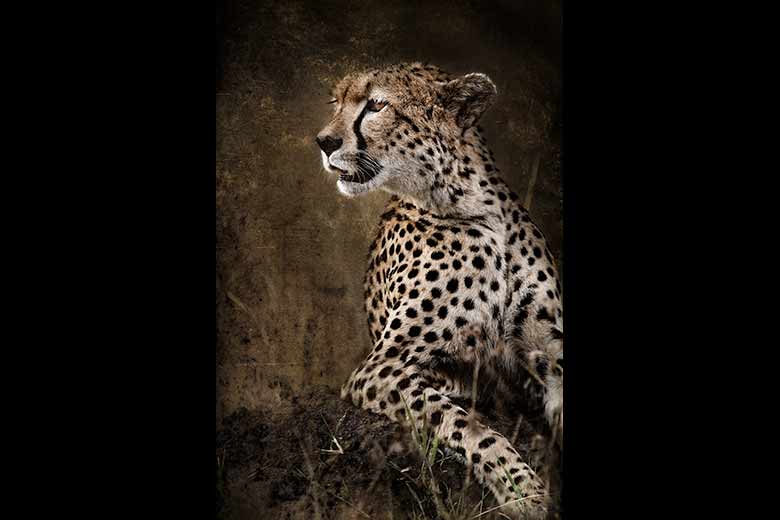
cheetah prowling in tall grass

Fine art version of Cheetah in the Grass

The light was failing. Dark clouds were moving in blocking even the most determined rays of light from the setting sun. For two cheetah brothers out hunting with their mother this was not a problem, but it was pretty poor light for dynamic wildlife photography. Sure enough, the unedited RAW file looked pretty bland.

unprocessed RAW file of cheetah in tall grass

unprocessed RAW file

The Vision

My creative vision of the African bush strives and strains to diminish distractions and visual clutter in order to reveal the animal in a more powerful way. In this case I envisioned the cheetah prowling through the tall grass of its world with its characteristic spots, tail tuft, and tear-stained eyes clearly revealed.

The Process

Lightroom slidersThe first step in Lightroom was to tweak the color balance and brighten the exposure quite a bit. The image was now pretty washed out, but the black slider brought back the darkest portions of the image which in this case were all the important bits – spots, tail tuft, eyes, and nose.

The brightness slider further washed out the brighter tones and the clarity slider brought back more distinction to the details of the cheetah. The increase to the contrast slider made the image pop a little more.

The next step was to convert the color image to black and white. Since I wanted the cheetah to stand out from its surroundings I needed to increase the contrast between the greens of the grass and the orange of the cat.

I  like adding a little bit of warmth to the shadows in an image like this. I have created my own spit-tone preset so that collections of my images will match each other in color tonality if they were ever to be displayed together. The RGB color space does not render warm earth tones very well. It is difficult to generate a warm brown out of red, green, and blue. To arrive at the hue value of 41 I started with the saturation at 100 and then fiddled with the hue until the color seemed to match the African savannah. Then I backed off the saturation so that just a hint of it was revealed in the the shadows. I have chosen to leave the highlights neutral and the balance between the highlights and shadows at zero.

The upper third of the image was still too dark for my liking, and the separation of the orange and yellow sliders in the black and white panel had introduced some blotchyness and excessive grain. To tone these undesirable aspects down I used the graduated filter with the exposure set to -4.0. I dragged the filter over the top third of the image which completely wiped out the ugliness.

post crop vignetting in the effects panelTo achieve the burned edges I employed another one of my favorite Lightroom presets. This one a created using the Post-crop Vignetting panel. Again I have this saved out as a preset so that I can call on it to add a consistent border with all images in this collection. The highlight priority mode rendered the nicest edge effect, but the bright highlights in the upper part of the image nearly wiped out the edge effect.


burned edges with sdjustment brush

To bring back those edges I used a feathered adjustment brush with an exposure set to -2.8 to brush burnt edges into the washed out areas. While I was in the adjustment brush panel I used another brush to brighten up the cheetah’s eyes.

That’s it; start to finish. Let me know what you think, and of course feel free to ask any questions that arise from this edit. I will do my best to find answers for you. And please, if you found this at all helpful, share it with your social media of choice using the buttons below.

Posted in image editing, Lightroom | Tagged , , | 3 Comments

Layer Stacking: HDR Alone Is Not Enough

high dynamic range image of interior of cave

For years I have been searching for the the right HDR program, the right combination of sliders, the perfect preset that would work magic with my bracketed RAW captures and spit out an image that matched what I had in mind when I was setting up my tripod. But every time the final image failed to live up to my expectations. The detail was fabulous, the colours were beautiful, the tones being pulled from deep shadows and blown out highlights were incredible. But my images never seemed to work as a whole.

It turns out that was the problem. I was expecting everything to be ‘right’ in just one step. Once I saw the Photoshop layer stacks produced by some of the masters of HDR like Trey Ratcliff and Elia Locardi I realized that tone mapping was just the beginning. What follows is a step by step example of how to build an HDR layer stack in Photoshop.

Nothing will push the limits of high dynamic range photography like shooting from the inside of a lava chute on the side of a volcano out into the equatorial sunshine at 8,000 feet above sea level. The sky was about 12 stops brighter than the rocks in the cave. I took three manually bracketed exposures at f/16, ISO 100, Canon EOS 7d, 10mm lens.

exposed for sky

Exposure metered off the sky: 1/50s

Exposure for the areas around the cave openings

Exposure for the areas around the cave openings: 0.3s

Exposure for the cave interior

Exposure for the cave interior: 1.3s

The best result I could achieve with Photomatix looked like this.

The best result I could achieve with Photomatix looked like this.

This is interesting, but certainly nothing like what I saw when I was there. The interior walls look pretty good. The rocks in the foreground seem good except for the erie purple lens flare running down the middle. The area outside the cave is where the whole thing falls apart. Bizarre blue skies that don’t quite extend all the way to the edge of the cave openings, garish rocks, and radiation green plants make me want to stay inside the cave and never leave. Obviously this tone-mapped image needs some help from Photoshop.

Here is how I built up the layer stack in Photoshop (starting from the bottom and working upwards).

Photoshop layer stack screen shot

Photoshop layer stack screen shot

  1. The first step was to brighten the the entire image. Just because it is a cave does not mean it has to look dingy. A curves adjustment layer looked after that.
  2. Next priority was to replace the tone-mapped exterior with the perfectly good exposure that I exposed by metering off the sky. I dragged that image (RAW converted to TIF in Adobe Camera Raw) on to the tone-mapped image (while holding SHIFT to ensure the layers were aligned). I then ALT-Clicked on the new layer mask icon to create a black mask which I then proceeded to punch holes in to allow the natural looking exterior to show through.
  3. The exterior looked a little too dark when compared to the interior of the cave, and the the clouds looked gray. A levels adjustment layer restored the white point of the clouds to pure white. Much better already.
  4. Now it was time to replace the purple glowing rocks with the more neutral rocks from the cave interior exposure. A layer mask was used to paint in the neutral rocks over the purple rocks.
  5. There was still a hot spot from the lens flare so a curves adjustment layer was used to darken that down.
  6. Since the rocks were backlit, it would be logical for the sides of the rock facing the camera to be pretty much black. An image needs some black to anchor it anyways. A new black point was set on yet another adjustment layer. The darkness was painted in on the near side of the rocks and in the bottom corners.
  7. Almost there. Some flare surrounding the top opening was neutralized with another levels adjustment layer.
  8. Finally, the rocks still seemed to have a bit of a purple tinge to them. A hue and saturation adjustment layer eliminated that.

So, that’s it. Noise in the sky was no longer an issue because that exposure was metered off the sky in the first place. Noise in the shadows was pushed into darkness by levels and desaturation adjustment layers. The rest of the cave interior is so textured that noise is hidden. Sharpening does not seem to be required.

After many failed attempts to process these RAW files over the year since I captured them, I am finally happy with the outcome. Please let me know what you think. After all, we are all fellow pilgrims on this quest to capture extreme light.

Posted in HDR, image editing, photography, Photoshop, technique | Tagged , | Leave a comment

New Gallery of Fine Art HDR Landscapes

sun rising over rock and tree in central canyon of Hells Gate Park, Kenya

Sun rising over rock and tree in central canyon of Hells Gate Park, Kenya

It is impossible for any camera to capture in a single image all of the levels of brightness that our eyes can see when we look at a scene. Using several different frames of varying exposures it is possible to recreate what the eye could see. The challenge is to blend those exposures together into a single image that renders the tones in a pleasing way and expresses the artist’s vision.

View the fine art HDR collection here.

Posted in HDR, image editing, photography, Photoshop, technique | Tagged , | Leave a comment

A Discussion About Art

fine art photographer Mike GaudaurLast month I was interviewed by Ed Wedman from Exhibitions Without Walls. EWW hosts six competitions a year. These are juried contests that seek to promote fine art photographers and digital artists on a global platform.

I was really honoured to be chosen for the interview and very impressed with the depth of his questions. Here is his first question followed by my response:

EWW: Mike, a few months ago on one of the social networks on the web, there was a discussion on whether photography/digital art could really be fine art.  Some commented that photography could not be considered fine art and that photography was only a documentation of a particular event/subject in time.  How would you respond to the question of photography/digital art being considered as fine art?

MIKE: The simple act of pushing a button on a device and capturing photons of light is not art. Traversing the planet to find beautiful or intriguing things to aim the device at is still not really art. Choosing digital processing techniques and applying filters is not it either. In my opinion, an image becomes art when the photographer uses the skills and technology he has available to interpret what he sees. Every decision the artist makes should move the image away from a mere capturing of a scene and move it closer to what the artist envisioned when he pushed the button.

read the rest of the interview here

Posted in news, photography | Tagged | Leave a comment

Honourable Mention in Natures Expressions Contest

three rhinoceros image edited in Photoshop

rhino trio - final

My Rhino Trio image received an honourable mention in the Exhibitions Without Walls: Nature’s Expressions fine art contest. This is the first time I have won an award in a juried competition.

Exhibitions Without Walls accepting entries to their next contest called Abstractions. I won’t be entering this one since I have been asked to be a judge. I would encourage you to submit your entries.

Exhibitions Without Walls: Abstractions contest

Posted in news | Leave a comment

How Pinterest Is Working For Me

pinterest logo

When I first heard about Pinterest two weeks ago I could not see what possible purpose it would serve in my life. I signed up for an account anyways just because I have learned that the early bird in these social media sites definitely ends up with a bigger slice of the worm. Your chances of getting ‘liked’, ‘circled’, ‘followed’, or ‘pinned’ are much greater early in the game when there are only a few hundred photographers, than later on when there are tens of thousands.

So once I had a page I was encouraged to set up some boards. Not knowing what else to pin, I stuck up some of my own pictures. But Pinterest is not really another photo sharing site in the traditional sense. Its not for your own images; it is for other people’s work. In that spirit I started a board to pin samples of work from photographers I admire. At that point things started to click. This was better than liking Facebook fan pages, or following photographers on Twitter, or even adding people to my circles on G+. It is better because those photographers don’t have to be on Facebook, or Twitter, or G+, or any social media for that matter, in order for me to pin them to my board. They just need to have some sort of presence anywhere on the web.

Now, not only could I have all these photographers that I admire listed in one place, but I also had a sample of their work, and a link directly to their site. This was perk for me from an organizational standpoint, and it provided a bit of a boost for the photographer’s search engine optimization. And now, whenever I encounter the work of another photographer I admire, I just click the ‘pin’ button in my browser and they are added to my board. No need to log in to Pinterst first. Nice!

Then I remembered the folder on my hard drive where I have been stashing images that captivated me in some way. Maybe a creative composition, or stunning light, or innovative processing techniques. So I made a new board and started pinning them. Immediately I encountered a snag; where did all these images come from? Some I was able to track back by entering the file name into a Google search, but Google did not do so well with generic file names like bw024.jpg (a good reason to give images on your site meaningful file names!). Pinterest was going to make collecting inspiring images easier from now on. Again, each one comes complete with any notes I want to add and a link back to the site it came from. In the process of tracking down the sources of the images I had collected before, I discovered a bunch of new images that I also liked.

I think the next step will be to go through all the bookmarks in my browser…ah make that browsers – Safari and Firefox on both my home and office computers. Oh, and my iPad too. Pinterest is going to make keeping track of all this cool stuff I find on the web much easier.

Back in the old days – pre internet access – I used to read photo magazines and books with a highlighter, and would mark quotes I wanted to remember. I would also tear images, or even entire articles, out of magazines and stick them in a folder – the physical manila kind – so that I could refer to them later. Pinterest seems to accomplish both of these tasks digitally, and in a way that takes up much less physical space. Digital space is cheap, and far more mobile.

Pinterest has gotten a fair bit of bad publicity from photographers who are worried about people stealing their images and violating their copyrights. However, if users are careful to link to the original source of images they pin and not try to pass the work off as their own, then I see this as being a win for both the person who created the photograph and the person who appreciates it and wants to share it. Personally I would love for people to share my work around the web as long as a link to my site stays with it. Re-pinning an image transfers the original pin and the original source of that pin to someone else’s board. As far as I can see that is win, win, win.

Now, if I could just figure out an easy way to get all the clippings in my manila folder pinned on my boards.

Here is a link to my Pinterest page:

http://pinterest.com/mikegaudaur/

Posted in news, photography | Tagged | Leave a comment

Pikto gallery competition

male waterbuck on the Masai MaraThe PIKTO gallery in Toronto, Canada is running a gallery competition right now. They are looking for 15 images all relating to a specific theme. I wanted to try creating a collection of images that expressed some of the challenges faced by wild animals in Kenya. The theme for my collection is a synthesis of two words that seem to describe these images.

oblique – sideways, furtive, covert, sly, surreptitious, in-explicit.

bleak – unfavorable, discouraging, disheartening, depressing, dreary, somber, treeless, without vegetation, denuded.

O-bleak is therefore a furtive, surreptitious glimpse into the sombre and somewhat disheartening world of Kenyan wildlife.

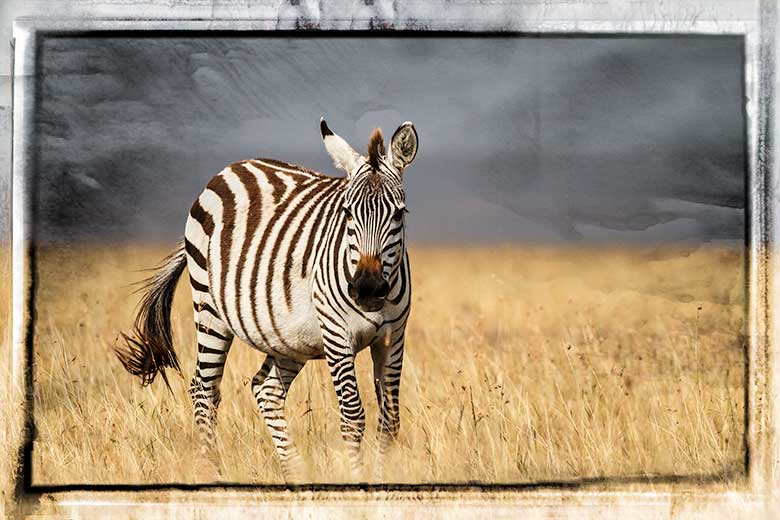
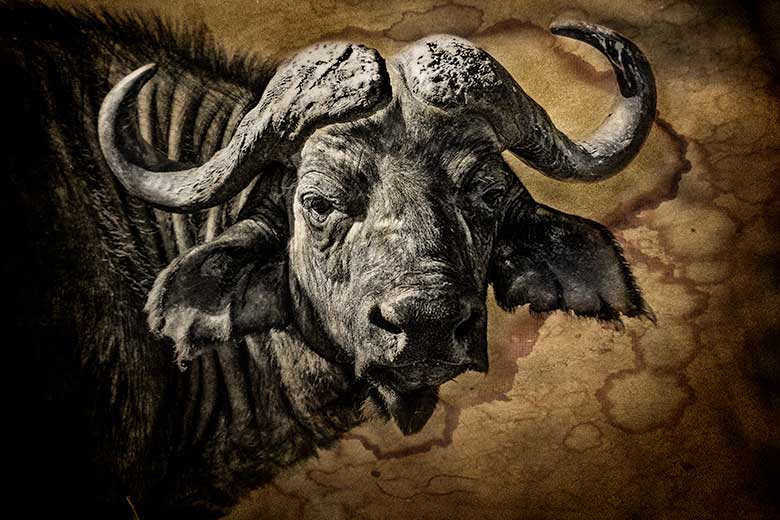
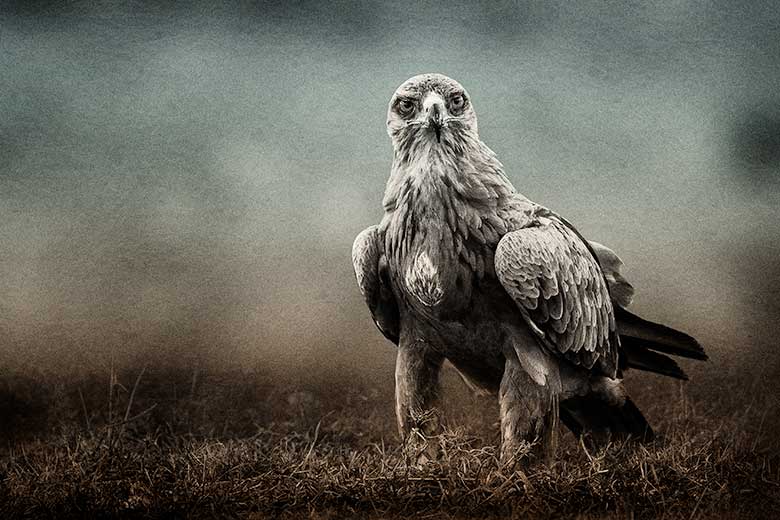
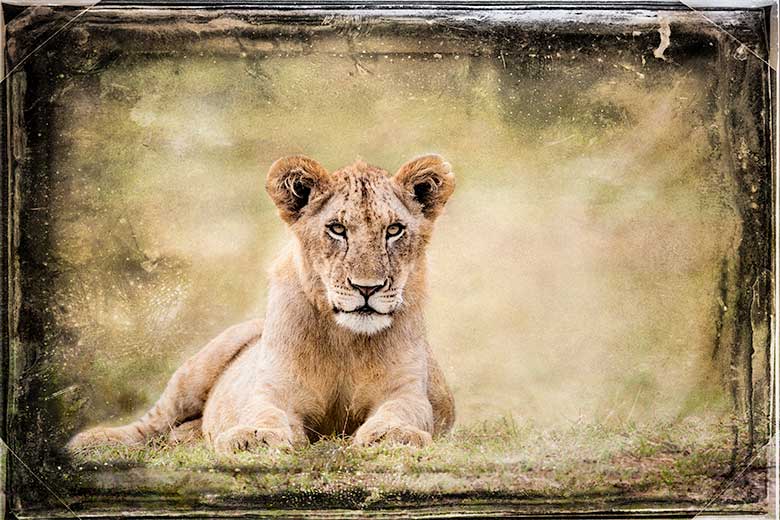
My goal was to depict the animals in a way that somehow illustrates their daily struggle for survival in an environment that is steadily fading away and becoming increasingly unfavorable for them. In order to accomplish this I used Lightroom to desaturate the colours; especially the greens, insinuating the loss of the animal’s natural habitat. Clarity and sharpness were pushed to the extreme to emphasize the harshness of reality. Vignetting helped to isolate the animal from its environment. The adjustment brush was used to add contrast, saturation, clarity, and brightness to the eyes. I specifically chose images where the animal was staring directly into the lens so that the viewer could connect with the animal.

It would be great if you could jump over to my entry in the PIKTO gallery and rate my images and leave some comments. Artists need feedback in order to mature in their craft.

Posted in image editing, Lightroom | Leave a comment

Drawing the Art out of the Image

three rhinoceros image edited in Photoshop

rhino trio - final

It is always exciting when you round a corner in a game park and come upon a group of animals interacting with each other. This happens all the time with zebra, buffalo, gazelles and such. These guys find safety in numbers. It is far more unusual to encounter a group of rhino. They don’t need numbers for security. In fact they don’t seem to even like being together. On my last trip to Lake Nakuru Park a few weeks ago my students and I happened upon a group of seven rhino. Granted, Nakuru is an awesome place for finding rhino, but in all my years of visiting this park I have never seen more than two or three together. Yet, on this dismal and dreary afternoon game drive we found ourselves sitting beside seven rhino. They were all in close proximity; munching grass side by side. The air was still and gentle rain showers drifted by. In the quietness of that hour the only sound we could hear was the steady tearing sound of massive lips pulling off tender blades of grass, punctuated every once in a while by massive sighs of contentment. It was an awesome experience.

six rhinoceros in the rain

six of the seven rhino

Without even realizing it I had recorded 300 images on my memory card. I would like to be able to say that I had this amazing creative vision in mind as I shot. But I didn’t. In reality I was just savoring the moment – soaking it in. Artistic vision did not enter into my thinking at all. I would like to think that years of studying beautiful imagery and carefully honing my photographic technique came into play, but it must have been on a subconscious level.

As soon as I got home I was anxious to see what I had captured. The images looked dreary. The weather had been dismal and unprocessed RAW files don’t do anything to improve that appearance. None of the magic I had experienced was there.

rhino trio - unedited RAW file

rhino trio - unedited RAW file

As I began to process the images in Lightroom some of that magic was restored. I converted to grayscale, bumped up the black point, then added contrast and clarity. A tighter crop emphasized the proximity of these huge animals, the square format clarifying the pattern of the eyes, lips, horns and nostrils. I was happy with some images and I made a print that I liked, but something was still missing.

three rhinoceros with Lightroom edits

rhino trio - Lightroom edits

As I was preparing images for my first gallery for this website I decided to take another shot at drawing the magic out of the pixels. I took the processed grayscale image out of Lightroom and opened it in photoshop. I decided to try a technique that I had learned years ago for enhancing landscapes. I duplicated the background layer and blurred it considerably using the gaussian blur filter. Changing the layer blend mode to multiply  transformed the image into a dreamy mush. Double clicking the blurred layer accesses the blend if sliders. Moving the top white slider to the left removes the blur from the highlights, but the transition is harsh. Holding alt while moving the slider splits the slider and allows for a more gentle transition leaving only silky deep blacks showing through. I brought the punch back to the mid-tones and highlights with a curves adjustment layer.

I now had an image that I felt did justice to the experience I had that dreary afternoon. Is it art? For sure it is more than just a photograph. Ansel Adams said that the negative (read RAW file) is the score and the print is the performance. I am pleased with this performance. What do you think?

Posted in image editing, Lightroom, Photoshop | Tagged | 1 Comment